
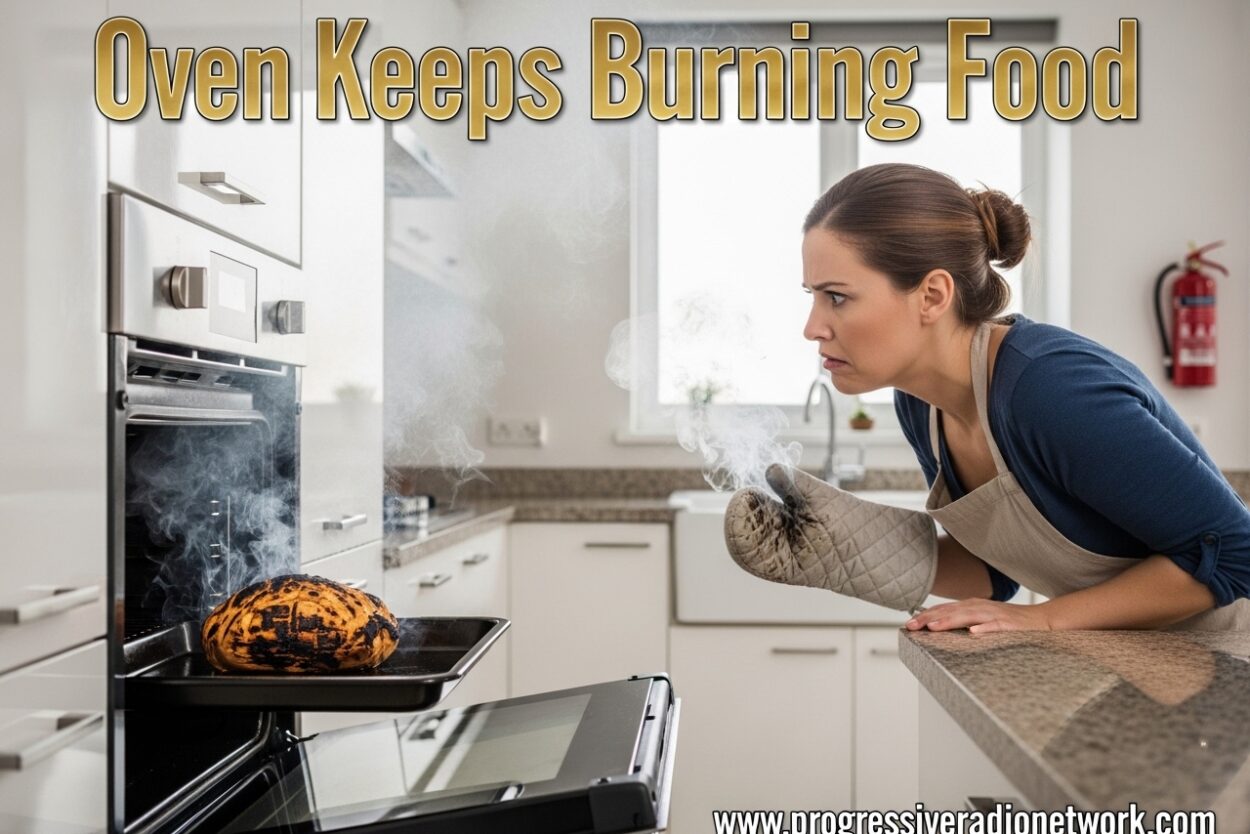
There’s nothing more frustrating than pulling a perfectly timed dish out of the oven only to find it charred on the outside while raw inside. I’ve been there, and you’re not alone. When your oven keeps burning food, it throws off your entire cooking routine and wastes ingredients you can’t get back.
The good news is that most oven burning problems fall into three categories: simple user errors, maintenance issues you can fix yourself, and mechanical problems that need professional attention. I’ve researched the most common causes and solutions to help you diagnose why your oven keeps burning food and get back to evenly cooked meals.
Table of Contents
- Oven Keeps Burning Food: Common Causes and Solutions
- Signs Your Oven Is Overheating
- Quick Troubleshooting Checklist
- User Error Issues That Cause Burning
- Maintenance Issues That Cause Overheating
- Mechanical Problems That Cause Burning
- How to Calibrate Your Oven
- When to Call a Professional
- Preventing Future Oven Burning Issues
- Frequently Asked Questions
- Conclusion
Oven Keeps Burning Food: Common Causes and Solutions
When your oven consistently burns food, it usually means the internal temperature is running higher than what you set on the dial. This discrepancy can range from 25 to 100 degrees or more, turning a 350°F bake into a 400°F disaster. Understanding why your oven keeps burning food starts with identifying which component or habit is causing the temperature spike.
Signs Your Oven Is Overheating
Before diving into repairs, confirm that overheating is actually the problem. Here are the clear signs your oven is running too hot:
- Food burns consistently: Every recipe, regardless of temperature setting, ends up charred or overcooked
- Bottom burning: The bottom of cookies, breads, and casseroles burns while tops remain undercooked
- Faster cooking times: Food finishes well before the recipe’s stated time
- Excessive browning: Foods develop dark crusts much earlier than expected
- Smoke or burning smells: You notice smoke or odors even when nothing appears to be burning
- Uneven cooking: One side burns while the other side remains raw
If you’re experiencing these symptoms, your oven keeps burning food due to one of the causes below.
Quick Troubleshooting Checklist
Before calling a professional or attempting repairs, run through these quick checks. I’ve found that 60-70% of oven burning issues stem from simple fixes:
Step 1: Verify your oven’s actual temperature
Place an oven thermometer on the center rack and set your oven to 350°F. After 20 minutes, check the thermometer reading. If it shows 375°F or higher, your oven runs hot and needs calibration or repair.
Step 2: Check your rack position
Most baking should happen on the center rack. If you’ve been using the top rack for general baking, move it down. The top rack receives more direct heat and causes faster browning and burning.
Step 3: Examine your cookware
Dark metal pans absorb and conduct heat more efficiently than light-colored or glass pans. If you switched to dark bakeware recently, this could explain why your oven keeps burning food suddenly.
Step 4: Remove any aluminum foil
Foil on the bottom of the oven or covering racks can block airflow and reflect heat unevenly. Remove all foil to restore proper air circulation.
Step 5: Check the oven door seal
Run your hand around the door edges while the oven is running. If you feel heat escaping, the gasket may be worn, causing temperature fluctuations.
User Error Issues That Cause Burning
Many cases of ovens burning food stem from incorrect usage rather than mechanical failure. These issues are easy to fix once identified:
Incorrect temperature settings
Some recipes contain errors, and others assume you’ll adjust for your specific oven. If your oven keeps burning food across multiple recipes, the common factor is your oven’s actual temperature versus what you’re setting. Always trust an oven thermometer over the display.
Wrong rack position
Rack placement dramatically affects how food cooks. The center rack provides the most even heat distribution. Top rack positions subject food to intense top heat, while bottom racks can cause excessive bottom browning. For most baking, keep racks in the middle position.
Inappropriate cookware selection
Dark, dull metal pans absorb more heat and can cause bottoms to burn. Light-colored aluminum, glass, or silicone pans reflect more heat and cook more gently. If your oven keeps burning food on the bottom, switch to lighter-colored pans or use an air bake sheet as an insulator.
Improper preheating
Putting food in before the oven fully preheats throws off cooking times. Most ovens signal preheat completion with a beep or light. Wait for this signal, then give it an extra 5 minutes for the walls and heating elements to fully stabilize.
Overcrowding the oven
Too many pans block airflow and create hot spots. When air cannot circulate properly, heat builds up in certain areas and causes uneven cooking. Leave at least 2 inches between pans and between pans and oven walls.
Maintenance Issues That Cause Overheating
If your usage habits are correct but your oven keeps burning food, maintenance problems may be the culprit:
Dirty or obstructed temperature sensor
The temperature sensor, typically a thin metal rod protruding from the back wall, measures internal temperature. When coated with grease, food splatter, or carbon buildup, it cannot accurately read heat levels. Clean the sensor gently with warm soapy water and a sponge. Avoid abrasive scrubbers that could damage the sensor’s coating.
Clogged burners (gas ovens)
Gas oven burners can become clogged with food debris, causing uneven flames and hot spots. Inspect the burner holes for blockages and clean them with a straight pin or needle. Never use a toothpick, which can break off inside the burner.
Vent blockages
Your oven has vents that allow hot air to escape and regulate internal pressure. When these vents become blocked by foil, pans, or debris, heat cannot escape properly and builds up excessively. Locate your oven’s vents (usually at the top or back) and ensure they’re completely clear.
Worn door gaskets
The rubber gasket around your oven door creates an airtight seal. When this gasket becomes cracked, flattened, or brittle, heat escapes and temperature becomes erratic. Test your gasket by closing the door on a dollar bill. If it slides out easily with no resistance, the gasket needs replacement.
Mechanical Problems That Cause Burning
When user error and maintenance issues are ruled out, your oven keeps burning food due to mechanical failures. These problems require professional diagnosis and repair:
Faulty thermostat
The thermostat regulates temperature by signaling heating elements to turn on and off. When it fails, the oven may continue heating beyond the set temperature. A bad thermostat typically causes temperature to run 50-100 degrees hotter than set. This repair requires a professional technician and costs between $150-300 including parts and labor.
Broken temperature sensor
Modern ovens use a sensor instead of a mechanical thermostat. When this sensor fails, it sends incorrect temperature data to the control board, causing overheating. The sensor itself costs $20-50, but professional installation runs $100-200 for total repair costs of $120-250.
Damaged heating elements
In electric ovens, the bake and broil elements can malfunction and stay on continuously. You’ll often see the element glowing brightly even when the oven should be maintaining temperature. Heating element replacement costs $100-200 for professional installation, or $30-60 for the part if you’re comfortable with DIY repair.
Malfunctioning control board
The electronic control board interprets temperature settings and controls heating cycles. When it fails, it may send continuous power to heating elements regardless of temperature settings. Control board replacement is one of the more expensive repairs, typically costing $250-500 including professional installation.
Calibration drift
Over time, ovens can drift from their factory calibration. This gradual shift causes the actual temperature to diverge from the set temperature. Many ovens allow for calibration adjustment of up to 35 degrees through the settings menu. Check your owner’s manual for calibration instructions specific to your model.
How to Calibrate Your Oven
If your oven runs consistently hot or cold, calibration can often correct the issue without expensive repairs:
Step 1: Test current accuracy
Place an oven thermometer in the center of the oven. Set the oven to 350°F and let it preheat completely. After 20 minutes, check the thermometer reading. Repeat this test three times and calculate the average difference.
Step 2: Access calibration mode
Most modern ovens have a calibration feature in the settings menu. Consult your owner’s manual for the specific button combination to enter calibration mode. This typically involves holding two buttons simultaneously for 3-5 seconds.
Step 3: Adjust the offset
If your oven runs 25 degrees hot, enter a calibration adjustment of -25 degrees. The oven will now automatically subtract 25 degrees from whatever temperature you set. Most ovens allow adjustments between -35 to +35 degrees.
Step 4: Retest and verify
After calibration, repeat the thermometer test. The actual temperature should now match the set temperature within 5-10 degrees. If the discrepancy remains larger than 15 degrees, you may have a mechanical issue requiring professional repair.
When to Call a Professional
Some oven problems are DIY-friendly, but others require professional expertise. Call a technician if you notice these red flags:
- Electrical issues: Sparks, unusual smells, or tripped breakers indicate dangerous electrical problems
- Gas leaks: If you smell gas (rotten egg odor), evacuate immediately and call your gas company
- Control board failure: Unresponsive buttons, error codes, or erratic display behavior
- Repeated calibration failure: If calibration doesn’t resolve the temperature discrepancy
- Physical damage: Cracked glass doors, damaged insulation, or visible component damage
Professional oven repair typically costs $150-400 depending on the issue and parts required. Heating element replacement runs $100-200, thermostat repair costs $150-300, and control board replacement can reach $400-500. Get multiple quotes and confirm the repair cost doesn’t exceed 50% of a new oven’s price.
Preventing Future Oven Burning Issues
Once you’ve resolved why your oven keeps burning food, these habits will help prevent recurrence:
Invest in an oven thermometer
An inexpensive oven thermometer ($10-20) provides accurate temperature readings and helps you catch calibration drift early. Place it in the oven permanently and check it monthly to verify accuracy.
Use an air bake sheet for sensitive items
For cookies, pastries, and other items prone to bottom burning, place an air bake sheet or empty baking sheet on the rack below your food. This deflects direct bottom heat and creates more even cooking.
Rotate your pans halfway through
Most ovens have hot spots, especially older models. Rotating pans 180 degrees halfway through baking ensures even browning and prevents one side from burning.
Clean your oven regularly
Carbon buildup from spilled food affects heat distribution and can cause hot spots. Run the self-cleaning cycle every 3-4 months, or clean manually with oven cleaner to maintain proper heating performance.
Check door gaskets annually
Inspect the rubber seal around your oven door each year. If it’s cracked, flattened, or brittle, replace it to maintain proper temperature control. Replacement gaskets cost $20-40 and install in minutes.
Frequently Asked Questions
How much does it cost to replace the heating element in an oven?
Heating element replacement costs $100-200 for professional installation. If you’re comfortable with DIY repair, the part itself costs $30-60. Electric ovens typically have two elements (bake and broil), so specify which one needs replacement when ordering parts.
Why does my oven always burn the bottom of everything?
Bottom burning usually indicates rack position too low, dark cookware absorbing too much heat, or a failing bake element running constantly. Try moving food to the center rack, switching to lighter-colored pans, or placing an empty baking sheet below to deflect heat. If these don’t help, the bake element may need replacement.
What are common signs of oven failure?
Watch for inconsistent temperatures, food burning at recommended settings, uneven cooking between racks, unusual noises during operation, error codes on the display, longer preheat times, visible damage to heating elements, or heat escaping around the door. These symptoms indicate components may be failing and need professional diagnosis.
Is it normal for an oven to smoke on its first use?
Yes, some smoke on first use is normal. New ovens have manufacturing oils and coatings that burn off initially. Run the oven empty at 400°F for 30-60 minutes with windows open. However, persistent smoking after the first few uses indicates a problem with grease buildup, electrical issues, or gas combustion problems that require professional attention.
Conclusion
When your oven keeps burning food, the solution ranges from a simple rack adjustment to professional component replacement. Start with the quick troubleshooting checklist to rule out user error and maintenance issues. If problems persist after calibration and cleaning, mechanical failure is likely and professional repair is the safest option.
An oven thermometer is your best defense against future burning issues. By monitoring actual temperature versus set temperature, you’ll catch problems early and adjust recipes accordingly. Most oven burning problems are fixable without replacing the entire appliance, so don’t give up on your oven until you’ve ruled out these common causes.

Leave a Comment