
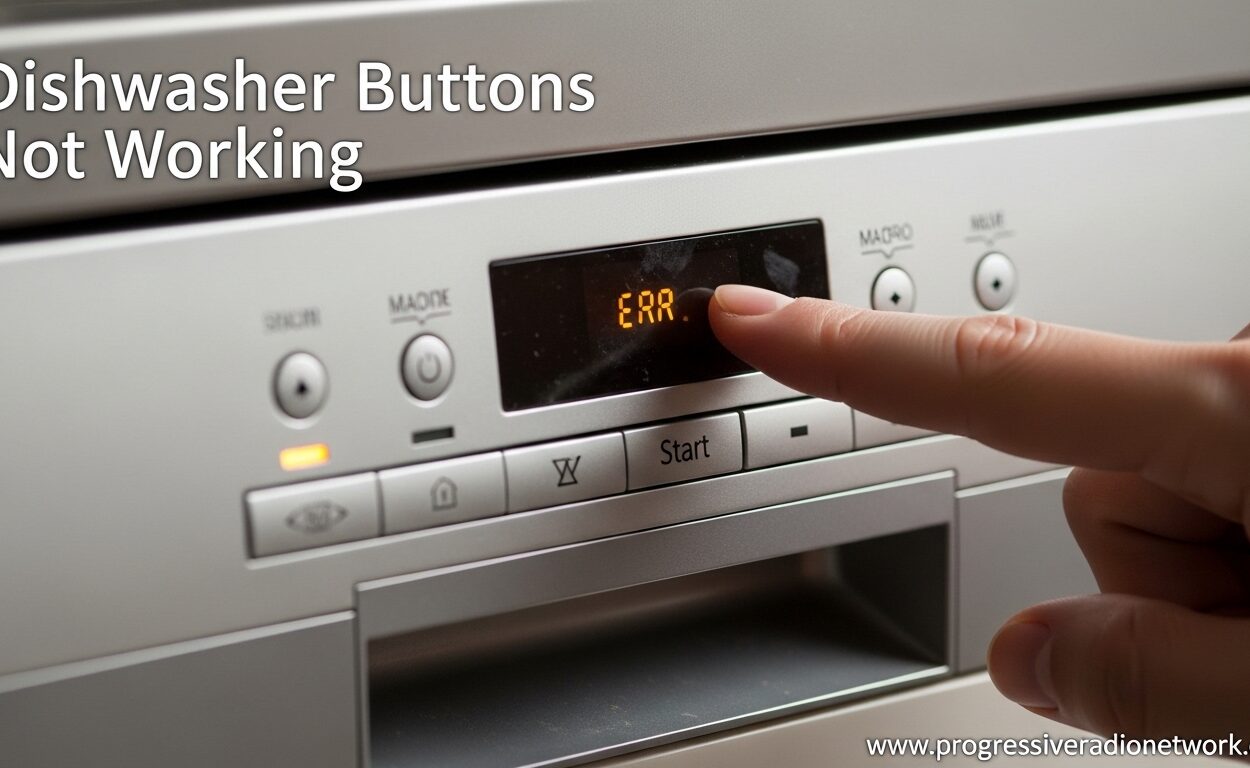
You press the start button on your dishwasher and nothing happens. The control panel sits there, unresponsive, with buttons that won’t work no matter how many times you tap them. This frustrating problem – dishwasher buttons not working – leaves you stuck with a sink full of dirty dishes and no way to run the appliance you depend on daily.
I’ve been there. Standing in front of a dishwasher that refuses to respond is incredibly frustrating, especially when you’ve got a loaded dishwasher waiting to run. The good news is that most dishwasher button issues are fixable, and many don’t require a service call. In this guide, I’ll walk you through every troubleshooting step from the simplest fixes to more complex repairs.
After researching countless user experiences and speaking with appliance repair technicians, I’ve found that dishwasher buttons not working typically stems from just a few common causes: a locked control panel, a faulty touchpad, a malfunctioning door latch, or a failed control board. I’ll help you diagnose exactly which one is causing your problem and how to fix it safely.
Dishwasher Buttons Not Working – Quick Fixes to Try First
Before we dive into complex repairs, let’s check the simple fixes that solve most dishwasher button problems. I can’t tell you how many times I’ve seen people schedule service calls only to discover their dishwasher was just in lock mode.
Check Control Lock / Child Lock
The most common reason dishwasher buttons don’t work? The control lock feature is activated. This safety feature prevents accidental button presses – great for households with kids, but confusing when you forget it’s on.
Look for a control lock indicator light on your display panel. It usually shows a padlock icon or says “Control Lock” or “Child Lock.” If this light is on, your buttons won’t respond to normal presses.
To deactivate control lock, try these methods depending on your dishwasher model:
Hold the “Control Lock” or “Child Lock” button for 3-5 seconds until the indicator light turns off. If your dishwasher doesn’t have a dedicated lock button, try holding the “Heated Dry” button for 3 seconds. Some Samsung models require pressing and holding both the “Sanitize” and “Auto” buttons simultaneously for 3 seconds. Bosch dishwashers often use the “Start/Reload” button held for 3-5 seconds to unlock.
One user on Reddit described their experience: “I spent an hour trying to figure out why my buttons weren’t working, only to realize my toddler had activated the child lock. A simple 3-second button hold fixed everything.”
Perform a Power Reset
If the control lock isn’t the issue, a power reset often fixes unresponsive buttons. This is the “have you tried turning it off and on again” of the appliance world – and it works more often than you’d think.
Here’s how to do it properly:
Locate your home’s electrical panel and find the circuit breaker for your dishwasher. Flip the breaker to the OFF position. Wait at least 1-5 minutes – this longer wait time is crucial as it allows the dishwasher’s electronic control board to fully discharge. After waiting, flip the breaker back to ON. Try your buttons again.
Alternatively, you can unplug the dishwasher if it has a reachable plug. Some dishwashers plug into an outlet under the sink. Unplug it, wait 5 minutes, then plug it back in.
Several users report that power cycling fixed their issues temporarily, but the problem returned. This suggests an underlying component issue that the reset only temporarily resolves. If your buttons work after a reset but stop working again within days or weeks, you’ll need to dig deeper into the troubleshooting steps below.
Verify Power Is Reaching the Dishwasher
Sometimes buttons don’t work because the dishwasher isn’t receiving power properly. Check that the dishwasher is plugged in (if applicable) and that no circuit breakers have tripped. Test the outlet with another device if possible.
Also ensure the dishwasher door is fully closed and latched. Many dishwashers won’t respond to button presses unless the door is securely closed. Listen for the door latch to click into place.
Diagnosing a Faulty Dishwasher Touchpad
When quick fixes don’t solve your dishwasher buttons not working problem, the touchpad itself is often the culprit. The touchpad – also called a membrane switch or control panel overlay – is the part you actually press when you select wash cycles and options.
How the Touchpad Works
Your dishwasher touchpad consists of multiple layers of flexible plastic with conductive traces printed on them. When you press a button, you push these layers together, completing an electrical circuit that signals the control board. Over time, these membrane switches can fail due to wear, moisture damage, or electrical issues.
Think of it like the touchscreen on an old smartphone – eventually, areas stop responding to touch. The same thing happens to dishwasher touchpads.
Symptoms of Touchpad Failure
A failing touchpad shows specific patterns that help you identify it as the problem:
Certain buttons work while others don’t. This is a classic sign – if your “Normal Wash” button works but “Heavy Duty” doesn’t, the touchpad is failing in that specific area. Buttons require excessive pressure to respond. You find yourself pushing harder and harder on buttons to get them to work. Buttons work intermittently – sometimes they respond, sometimes they don’t. Multiple buttons in the same area fail together.
Spillage Damage – A Common Culprit
One of the most common causes of touchpad failure that many homeowners don’t realize is liquid damage. Spills from the counter above the dishwasher can seep into the control panel and wreak havoc on the electronics.
I’ve heard countless stories like this one from a Reddit user: “I spilled syrup on my dishwasher buttons a while back and they eventually quit working despite cleaning them. I opened everything up, gave it a thorough cleaning with isopropyl alcohol, and some buttons started working again but others were permanently damaged.”
Sugary liquids like syrup, juice, or soda are especially problematic because they leave behind sticky residue that can permanently gum up the membrane switches. Even if you wipe up the spill immediately, some liquid may have already seeped inside the control panel assembly.
Cleaning a Contaminated Touchpad
If your touchpad problems started after a spill, you might be able to save it with a thorough cleaning:
First, disconnect power to the dishwasher at the breaker. Remove the inner door panel to access the control board (consult your owner’s manual or look up your model online for specific instructions). Inspect the ribbon cable connecting the touchpad to the control board – ensure it’s securely connected and not damaged. Clean the touchpad contacts and the control board connection points with isopropyl alcohol and a cotton swab. Allow everything to dry completely before reassembling.
This cleaning process has saved many touchpads from premature replacement, but if the membrane switches themselves are damaged, you’ll need to replace the entire touchpad assembly.
Testing the Touchpad with a Multimeter
For a definitive diagnosis, you can test the touchpad with a multimeter. This requires some technical knowledge but gives you concrete answers:
Set your multimeter to measure continuity (usually denoted by a sound wave symbol). Disconnect the ribbon cable from the control board. Touch the multimeter probes to the corresponding pins for each button. Press the button – you should see continuity (the multimeter beeps). If pressing a button doesn’t create continuity, that button’s membrane switch has failed.
Testing requires knowing which pins correspond to which buttons – you can find this information in the technical service manual for your specific dishwasher model, often available online through appliance repair websites.
Door Latch and Door Switch Problems
Your dishwasher has a critical safety feature that prevents buttons from working when the door isn’t properly closed. This safety mechanism protects you from the dishwasher starting with an open door. But when the door latch or door switch malfunctions, it can prevent buttons from working even when the door is closed.
How the Door Latch System Works
The door latch assembly consists of the mechanical latch that holds the door closed and one or more electrical switches that detect when the door is securely closed. These door switches – often called micro switches – send a signal to the control board indicating the door is latched.
If the control board doesn’t receive the “door closed” signal, it won’t allow buttons to respond or the dishwasher to start. This is why checking that the door is fully closed is always the first troubleshooting step.
Symptoms of Door Latch Issues
A failing door latch shows these telltale signs:
The door doesn’t click securely closed anymore. You may need to slam the door to get it to latch. The door pops open during the wash cycle. The dishwasher won’t start even though buttons seem to respond. Button presses register lights flash but cycle doesn’t begin. You notice the door is misaligned or doesn’t sit flush with the tub.
Testing the Door Switch
You can test the door switch with a multimeter to confirm if it’s working properly:
Disconnect power to the dishwasher at the breaker. Open the dishwasher door and locate the door latch assembly – usually visible behind the door seal at the top center or on the side. Find the door switch(es) – they’re small plastic components with wire connections. Disconnect the wires from the switch (note which wire goes where). Set your multimeter to continuity mode. Touch the probes to the switch terminals. Manually activate the switch by pressing the button or lever – the multimeter should show continuity when activated.
If the switch doesn’t show continuity when activated, it has failed and needs replacement. If it does show continuity, the issue may be with the door latch mechanism not properly activating the switch when closed.
When to Replace the Door Latch Assembly
If testing reveals a failed door switch, you’ll typically replace the entire door latch assembly rather than just the switch. The assembly costs $30-60 and is relatively straightforward to replace:
Disconnect power. Remove the inner door panel to access the latch assembly. Unplug the wires from the old latch (note the connections). Remove the screws holding the latch assembly and remove it. Install the new latch assembly and secure with screws. Reconnect the wires in the correct positions. Reassemble the door panel and restore power.
On most dishwasher models, the door latch replacement takes 15-30 minutes and requires only basic tools – screwdriver, pliers, and possibly a nut driver.
Main Control Board Failure
The most serious and expensive cause of dishwasher buttons not working is a failed main control board. The control board is the “brain” of your dishwasher – it receives signals from the touchpad and controls all the dishwasher’s functions.
How the Control Board Functions
The main control board is a printed circuit board with electronic components that process input from the touchpad and control the water valves, pump, heating element, and other dishwasher components. When you press a button, the signal travels through the touchpad’s membrane switch, through a ribbon cable, to the control board’s input terminals.
The control board then processes this input and activates the appropriate components. If the control board fails, it can’t receive or process signals from the touchpad – resulting in unresponsive buttons.
Symptoms of Control Board Failure
A failed control board often shows these symptoms:
Complete unresponsiveness – no buttons work at all. The display panel is blank or shows random characters. The control panel shows signs of burning – black marks, burn smells, or visible damage on the board. Some functions work while others don’t – for example, lights work but wash cycles won’t start. The dishwasher worked before a power surge or electrical storm, then stopped working afterward.
Visual Inspection of the Control Board
You can visually inspect the control board for obvious signs of failure:
Disconnect power to the dishwasher. Remove the outer door panel and/or the control console to access the control board. Locate the main control board – it’s usually the largest circuit board visible. Look for burn marks, especially around relays and power input areas. Check for bulging or leaking capacitors – they should be flat on top. Inspect for corrosion or water damage. Check all wire connections for security and signs of burning.
Some users report finding obvious burn marks on their control boards, which is a clear sign of failure. However, control boards can fail without visible damage, especially due to electrical surges or component degradation over time.
Testing the Control Board
Testing a control board requires more advanced electrical knowledge and often specialized equipment. For most homeowners, control board diagnosis is best left to professionals. However, you can check:
That power is reaching the control board – use a multimeter to test for voltage at the input terminals. That the ribbon cable from the touchpad is securely connected and not damaged. That wire harness connections are secure and not corroded.
If you’ve confirmed the touchpad and door switch are working properly, and power is reaching the control board, then the control board itself has likely failed.
Control Board Replacement Considerations
Replacing a main control board is one of the more expensive dishwasher repairs:
The control board itself costs $100-250 depending on your dishwasher model. Installation typically takes 1-2 hours for a DIY repair. Professional service calls for control board replacement range from $300-500 including parts and labor.
Before investing in a control board replacement, consider the age of your dishwasher. If your dishwasher is over 8-10 years old, the cost of repair might approach 50% of the cost of a new dishwasher. In that case, replacement may be more economical than repair.
Brand-Specific Troubleshooting
While the general troubleshooting steps above apply to most dishwashers, specific brands have unique quirks, reset procedures, and common issues. Let’s look at brand-specific guidance for the most common dishwasher manufacturers.
Whirlpool Dishwasher Buttons Not Working
Whirlpool dishwashers are among the most reliable, but they do have some common button issues:
For control lock issues on Whirlpool, look for a “Control Lock” button near the display. Hold it for 3 seconds to unlock. Some models use a button combination – hold “Heated Dry” for 3 seconds to toggle the lock. Whirlpool also uses a diagnostic mode that can help identify issues: Press the following sequence within 5 seconds – Heated Dry, Normal, Heated Dry, Normal. The control panel will light up to confirm diagnostic mode. Press buttons to test each function – lights should illuminate for each working button.
Common Whirlpool touchpad issues include the Start/Resume button failing first due to frequent use, and membrane switches around the most-used cycles becoming unresponsive.
Bosch Dishwasher Buttons Not Working
Bosch dishwashers use a unique control lock system that confuses many owners:
Most Bosch models unlock by holding the “Start/Reload” button for 3-5 seconds. Some newer Bosch models use a dedicated “Lock” button with a key icon. Check for a “key” symbol on the display panel – if lit, the control is locked. Bosch dishwashers also have a “Demo Mode” that can cause button issues. To exit, press and hold the “Power Scrub Plus” and “Regular Wash” buttons simultaneously for 3 seconds.
Bosch dishwashers are known for reliable touchpads, but when they do fail, it’s often the ribbon cable connection rather than the membrane switches themselves. Before replacing the entire touchpad, disconnect and reconnect the ribbon cable – this simple fix resolves many Bosch button issues.
Samsung Dishwasher Buttons Not Working
Samsung dishwashers have a few unique characteristics:
Samsung control lock often requires pressing two buttons simultaneously – commonly “Sanitize” and “Auto” held together for 3 seconds. Check for a “Child Lock” indicator light on the display. Some Samsung models use a “Control Lock” button labeled with a padlock icon. Samsung digital displays can show error codes when buttons don’t work – note any codes displayed to help with diagnosis.
Samsung touchpad issues sometimes relate to moisture infiltration into the control panel. Ensure the door seal is in good condition and no water is leaking into the console area during wash cycles.
GE and Frigidaire Dishwasher Buttons Not Working
GE and Frigidaire share some common issues:
GE dishwashers typically unlock by holding the “Heated Dry” or “Lock” button for 3-5 seconds. Some GE models use a button sequence – press “Heated Dry,” then “Normal,” then “Heated Dry” again within 5 seconds. Frigidaire dishwashers often have recurring control panel issues according to multiple user reports. The control lock is usually deactivated by holding “Heat Dry” for 3 seconds.
Both brands are known for door latch switch failures that prevent buttons from working. The door switches on these models can fail prematurely, requiring replacement of the entire latch assembly.
When to Call a Professional
After working through the troubleshooting steps above, you may reach a point where professional repair makes sense. Let’s cover when to call in an expert and what to expect.
Safety Considerations
Before attempting any dishwasher repair involving electrical components, understand the safety risks:
Always disconnect power at the breaker panel before disassembling your dishwasher. Never work on the dishwasher while it’s still plugged in or the breaker is on. Dishwasher components can carry dangerous voltage even when the dishwasher appears off. Control boards and touchpad assemblies contain sensitive electronics that can be damaged by static electricity. Water and electricity are a dangerous combination – ensure all components are dry before restoring power.
If you’re uncomfortable with any of these safety considerations, calling a professional is the wise choice.
Cost Comparison: DIY vs Professional Repair
Understanding repair costs helps you make an informed decision:
Touchpad replacement: DIY costs $50-150 for the part. Professional service ranges from $200-350 including parts and labor. Door latch replacement: DIY costs $30-60 for the part. Professional service runs $150-250. Control board replacement: DIY parts cost $100-250. Professional service ranges from $300-500.
These costs vary by dishwasher model and your location, but they provide general guidance. If you’re handy with basic tools and comfortable following instructions, DIY repairs can save significant money. However, factor in the value of your time and the risk of misdiagnosis.
When Professional Repair Makes Sense
Call a professional appliance repair service when:
You’ve completed all troubleshooting steps and can’t identify the problem. The repair involves soldering or advanced electrical work. You don’t have the necessary tools – multimeter, specialized screwdrivers, etc. The dishwasher is under warranty – DIY repairs could void coverage. Multiple components have failed simultaneously. You’re not confident in your ability to safely complete the repair. The cost of repair approaches 50% of a new dishwasher’s cost – get a professional opinion on whether repair is worthwhile.
A qualified appliance repair technician can quickly diagnose the issue and provide an accurate repair estimate. Many offer free or low-cost service calls that apply to the repair cost if you proceed with their service.
FAQ’s
How do I reset my dishwasher control panel?
To reset your dishwasher control panel, first turn off the dishwasher at the circuit breaker. Wait 1-5 minutes to allow the electronic components to fully discharge. Then turn the breaker back on. For many models, you can also press and hold specific button combinations – often the Start/Reset button for 5 seconds, or the Control Lock button for 3-5 seconds. Consult your owner’s manual for model-specific reset procedures as they vary by brand.
What causes a dishwasher control panel to stop working?
The most common causes of dishwasher control panel failure include: activated control lock or child lock (easiest fix), a failed touchpad or membrane switch from wear or liquid damage, a malfunctioning door latch or door switch preventing operation, a failed main control board due to electrical surges or component failure, loose or damaged wire connections between components, and moisture infiltration causing corrosion on electronic components. Most of these issues can be diagnosed through systematic troubleshooting starting with the simplest fixes first.
How much does it cost to replace a dishwasher sensor?
Dishwasher sensor replacement costs vary by the type of sensor and your dishwasher model. Door latch sensors cost $30-60 for the part. Touchpad membrane switch assemblies run $50-150. Main control boards cost $100-250. Professional installation typically adds $100-200 in labor. Total professional repair costs usually range from $150-500 depending on which component needs replacement. If your dishwasher is over 8-10 years old and the repair cost exceeds 50% of a new dishwasher’s price, replacement may be more economical than repair.
Why does my dishwasher control lock light stay on?
The control lock light staying on means the child lock feature is activated, which prevents accidental button presses. This is actually a feature, not a malfunction. To deactivate it, look for a Control Lock, Child Lock, or Lock button on your panel – hold it for 3-5 seconds until the light turns off. Some models use button combinations like holding Heated Dry for 3 seconds. If the light won’t turn off after trying these methods, you may have a stuck button or a faulty control board that requires professional diagnosis.
Can a dirty touchpad cause buttons to not work?
Yes, a dirty touchpad can definitely cause buttons to stop working. Liquid spills – especially sugary substances like syrup, juice, or soda – can seep into the control panel and gum up the membrane switches. Food splatter and grease buildup can also interfere with button operation. For spills, try cleaning with isopropyl alcohol after disconnecting power. For general dirt, wipe the panel with a damp cloth. If cleaning doesn’t resolve the issue, the membrane switches themselves may be permanently damaged and require touchpad replacement.
How do I know if my dishwasher touchpad is bad?
Signs of a failing dishwasher touchpad include: specific buttons not working while others do (indicates localized membrane switch failure), buttons requiring excessive pressure to respond, intermittent operation – buttons work sometimes but not always, no response at all from any button (could also be control board), and visible damage or discoloration on the touchpad surface. To confirm, test buttons while pressing different areas of the panel – if some areas respond and others don’t, the touchpad is likely bad. Advanced diagnosis can be done with a multimeter testing for continuity when buttons are pressed.
Conclusion
Dishwasher buttons not working is a frustrating problem, but as we’ve covered, most cases stem from just a few common causes. Start with the simple fixes – check for control lock, perform a power reset, and verify the door is fully closed. These basic steps solve the majority of button issues and take only minutes to complete.
If quick fixes don’t resolve your dishwasher buttons not working problem, systematically work through the touchpad, door latch, and control board diagnosis. The touchpad is most often the culprit, especially if certain buttons work while others don’t. Door latch problems are also common and relatively inexpensive to fix. Control board failure is the most serious issue but also the least common.
Remember the real-world experiences shared by other homeowners – sometimes a simple control lock deactivation is all you need. Other times, liquid damage from a spill months ago finally causes the touchpad to fail. In still other cases, the door switch that you didn’t even know existed stops working, preventing all button operation.
When in doubt, start with the least expensive and simplest fixes first. Only move to more complex diagnoses after ruling out the easy solutions. And don’t hesitate to call a professional if you’re unsure – the cost of a service call is often less than the cost of misdiagnosis and unnecessary part replacement.
With the troubleshooting guidance in this article, you’re equipped to diagnose and likely fix your dishwasher buttons not working problem yourself. Start with the control lock check and power reset, work through the touchpad and door latch testing, and you’ll have your dishwasher back up and running before you know it.




Leave a Comment