
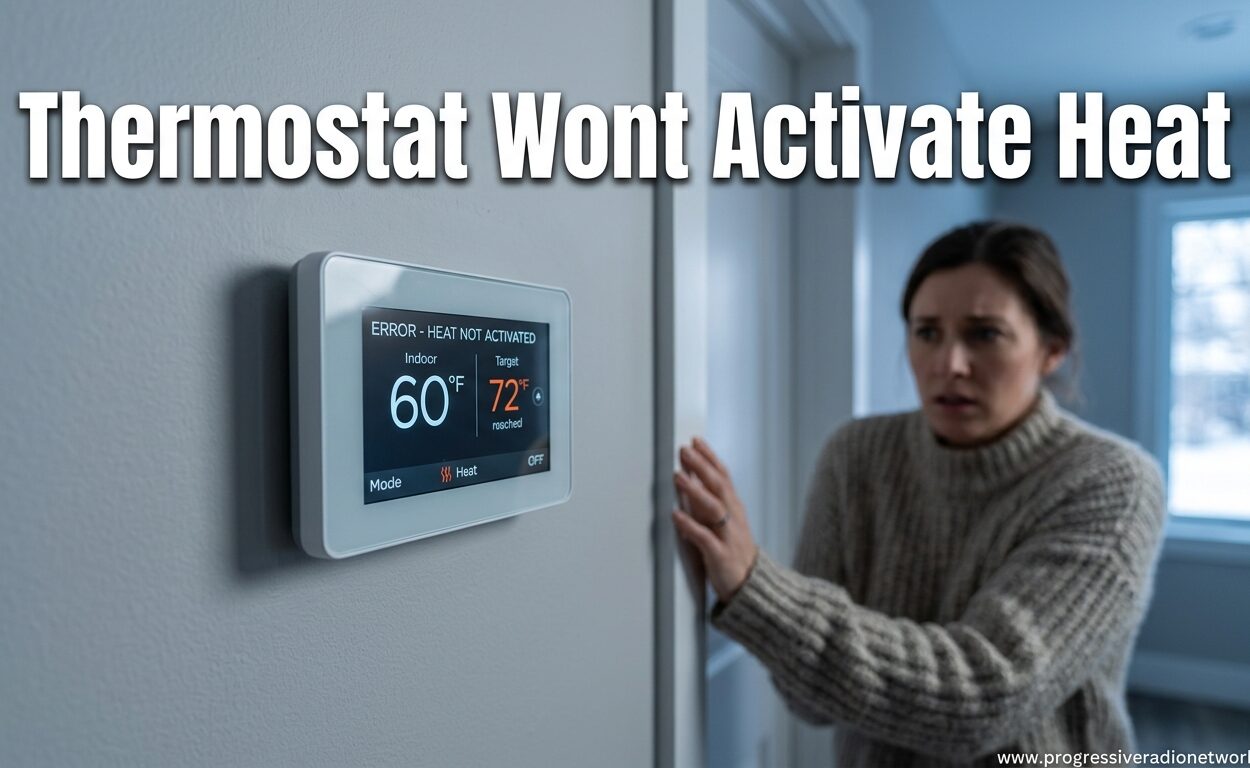
There’s nothing worse than waking up to a freezing house, thermostat set to 72 degrees but not a single warm breath of air coming through your vents. Your thermostat says “heat on” but the temperature keeps dropping.
After helping homeowners troubleshoot this exact scenario over the past decade, I’ve found that most thermostat wont activate heat problems stem from a handful of common issues. The good news? Most of them you can fix yourself in under 15 minutes without calling a pro.
In this guide, I’ll walk you through exactly how to diagnose whether your thermostat or furnace is the problem, reveal the hidden cause that 90% of people miss, and tell you exactly when it’s time to call in a professional.
Why Is My Thermostat Not Triggering Heat?
When your thermostat wont activate heat, it usually means something is blocking the signal between your thermostat and furnace. That signal is a low-voltage electrical pulse that tells your heating system to fire up.
Let me walk you through the six most common causes, starting with the easiest fixes.
Quick Diagnosis: Is It the Thermostat or Furnace?
Before diving into specific fixes, you need to know which piece of equipment is causing the problem. This simple test saves hours of frustration.
Go to your furnace and look for the power switch (it looks like a light switch, usually on or near the unit). Flip it off, wait 30 seconds, then flip it back on. Listen carefully.
If you hear the furnace click or hum: Your furnace works fine—the problem is your thermostat or the wiring between it and the furnace.
If you hear nothing at all: The issue is likely with your furnace’s power supply, not the thermostat itself. Still, thermostat issues can prevent furnace operation, so continue with the steps below.
1. Dead or Low Thermostat Batteries
This is the number one cause of thermostat not turning on heat problems. Even when your thermostat display still lights up and shows the temperature, weak batteries can’t send the strong enough signal needed to activate your furnace.
I’ve seen countless homeowners waste hours troubleshooting their furnace only to discover two dead AA batteries were the culprit the whole time.
How to fix it:
Remove your thermostat from its wall plate (most pull straight off or have a release tab). Check the battery compartment—usually on the back of the thermostat unit or behind a small door. Replace all batteries with fresh ones, even if some still test okay.
Programmable and smart thermostats typically need battery replacement every 6-12 months. Mark your calendar to swap them before heating season starts.
2. Incorrect Thermostat Settings
It sounds obvious, but I’ve been called to homes where the only problem was accidentally set to “cool” instead of “heat.” Modern thermostats have multiple settings that can confuse anyone, especially guests or family members unfamiliar with your system.
Check these settings:
• Make sure the system switch is set to “Heat” not “Cool” or “Off”
• Verify your set temperature is at least 3-5 degrees above room temperature
• Check if “Hold” or “Temporary” is active—it might be overriding your program
• For programmable thermostats, confirm the current time and schedule are correct
Smart thermostats can sometimes have software glitches that reset settings. A quick restart (remove from wall, wait 60 seconds, reattach) often resolves these bugs.
3. Tripped Breaker or Power Issue
Your thermostat needs power to communicate with your furnace. Even hardwired thermostats often have batteries as backup. If power to the thermostat is interrupted, it can’t send the heat activation signal.
More commonly, the furnace itself loses power due to a tripped breaker. The furnace and thermostat are on separate circuits, so your thermostat might work fine while your furnace has no electricity.
What to check:
Find your electrical panel and look for breakers labeled “furnace,” “HVAC,” or “air handler.” If any are in the middle position or flipped to “off,” reset them by flipping fully off then back on.
Also check the furnace power switch mentioned earlier—it looks like a regular light switch and can get bumped accidentally, especially in closets or utility areas.
4. Dirty or Clogged Air Filter
Most modern furnaces have a safety feature that shuts down the system if airflow becomes restricted. A clogged air filter can trigger this safety, preventing your furnace from activating even when the thermostat calls for heat.
Reddit’s HVAC community frequently reports this as a top cause of “thermostat says heat on but no heat” complaints during peak heating season.
The fix:
Locate your air filter (usually in the return air duct, blower compartment, or a wall/floor grille). Hold it up to a light source—if you can’t see light through it, it’s restricting airflow and needs replacement.
Standard 1-inch filters should be replaced every 1-3 months. Larger media filters last 6-12 months but still need regular checking. A fresh filter not only solves this problem but improves efficiency and air quality.
5. Tripped Float Switch (Hidden Cause)
Here’s the issue most competitors miss—your furnace has a safety float switch in the condensate drain pan. When your drain line clogs (common in humid climates or during heavy use), water accumulates and trips this switch, which cuts power to your furnace.
The thermostat will call for heat, the furnace might even click or attempt to start, but then nothing happens. Homeowners often waste days checking the thermostat and furnace without realizing a simple clogged drain line is the culprit.
Reddit users in the r/hvacadvice community report this as the most commonly overlooked cause, especially in high-efficiency furnaces.
How to fix it:
Locate the condensate drain line (PVC pipe exiting your furnace). Find the drain pan underneath and look for a small float switch. If water has accumulated in the pan, use a wet/dry vacuum to suction out the clog from the drain line outlet (usually outside your home).
After clearing the clog, pour a mixture of bleach and water down the drain to prevent future algae buildup. The float switch should reset automatically once the water drains.
6. Wiring or Connection Issues
Loose or corroded wiring connections can interrupt the signal between your thermostat and furnace. This is especially common in older homes or after recent renovations near thermostat wiring.
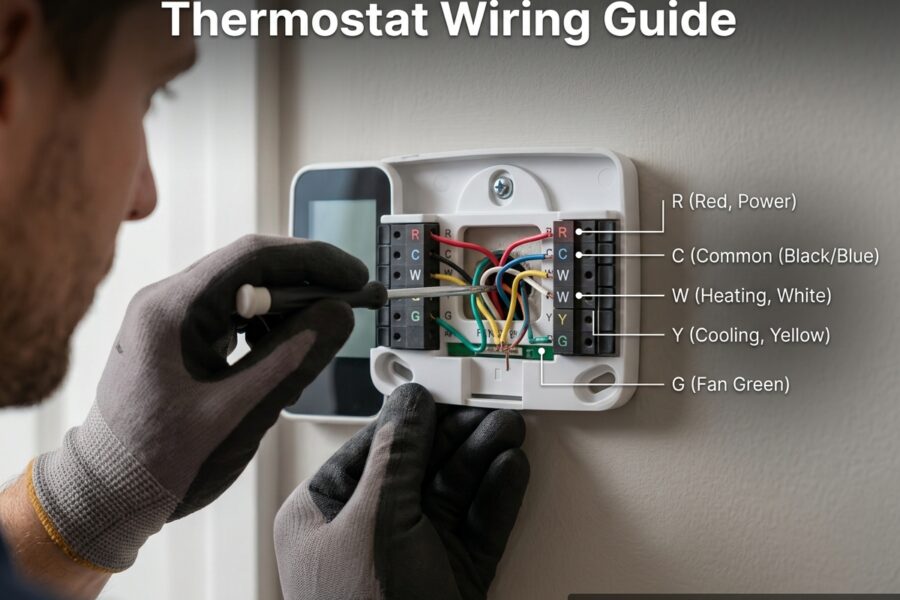
The problem could be at the thermostat (loose wire in the wall plate), at the furnace control board (loose connection terminal), or anywhere along the wire run between them (damaged by rodents or construction).
Warning signs:
• Thermostat display flickers or goes blank when calling for heat
• You hear a clicking at the thermostat but not at the furnace
• The problem started after any work near your thermostat or furnace
Basic check:
Remove your thermostat from its wall plate and verify all wires are securely connected to their terminals. The wires should be held firmly by terminal screws or snug in their connectors. Look for any corrosion (white or green buildup) on wires or terminals.
For furnace wiring issues, turn off the furnace power and remove the access panel. Check that the low-voltage wires are securely fastened to the control board. If you spot damaged wires, corrosion, or burn marks, call a professional—these repairs require HVAC expertise.
How to Get Your Heat to Kick On: Step-by-Step
Now that you understand the causes, here’s the exact sequence I use when troubleshooting a thermostat that wont activate heat. Follow these steps in order, from easiest to most complex.
Step 1: Go to your thermostat and raise the temperature setting at least 5 degrees above room temperature. Listen for any clicking sounds and wait 2-3 minutes.
Step 2: Check that the thermostat is set to “Heat” mode, not “Cool” or “Off.” Verify the time is correct if your thermostat uses a programming schedule.
Step 3: Remove the thermostat from its wall plate and replace the batteries with fresh ones, even if the display still works.
Step 4: Go to your electrical panel and reset any tripped breakers labeled for your furnace or HVAC system. Then locate the furnace power switch (looks like a light switch) near the unit and flip it off and back on.
Step 5: Check your air filter. If you can’t see light through it, replace it with a fresh one.
Step 6: Check the condensate drain pan under your furnace for water accumulation. Use a wet/dry vacuum to clear any clog in the drain line.
Step 7: If none of the above works, remove your thermostat and check that all wires are securely connected. Don’t attempt to test wires with a multimeter unless you have experience with low-voltage systems.
Step 8: At this point, if your furnace still isn’t responding, the issue is likely with the furnace itself—possibly a faulty control board, bad transformer, or ignition problem. Time to call a professional.
When to Call a Professional HVAC Technician
Some heating system issues are beyond DIY repair. Here are the clear signals that you need professional help:
Immediate danger: If you smell gas at any point, leave your home immediately and call your gas company’s emergency line from outside. Do not flip any switches or use anything electrical.
Electrical issues: Burning smells, visible sparking, or scorch marks around your furnace or electrical panel indicate serious electrical problems requiring an HVAC technician.
Complex repairs: If you’ve completed all the troubleshooting steps above and your furnace still won’t activate, the problem is likely internal—faulty control board, bad transformer, failed ignition system, or a broken gas valve. These repairs require specialized tools and training.
Warranty concerns: If your furnace or thermostat is still under warranty, DIY repairs can void coverage. Check your documentation before attempting complex troubleshooting beyond battery replacement.
Expect to pay $75-150 for a diagnostic visit, with additional costs for parts and labor if repairs are needed. Get quotes from at least two licensed HVAC companies before proceeding with major repairs.
Preventive Maintenance to Avoid Future Problems
The best way to avoid thermostat wont activate heat issues is regular maintenance. I recommend these simple habits to all homeowners:
Replace thermostat batteries annually, preferably before heating season begins in fall. Mark your calendar so you don’t forget.
Change your air filter every 1-3 months, or at minimum every quarter. Set a phone reminder for the first day of each new season.
Schedule professional HVAC maintenance annually. A technician can catch potential problems before they leave you shivering in the middle of winter.
Test your heating system before cold weather arrives. Turn on your heat in early fall and let it run for 15-20 minutes. This gives you time to address any issues before you really need the heat.
Keep the area around your furnace clean and accessible. Don’t use your utility room as storage space—technicians need clear access, and clutter can block airflow or create fire hazards.
Frequently Asked Questions
Why is my thermostat not triggering heat?
Why won’t my heating come on by the thermostat?
How do I reset an unresponsive thermostat?
How do I get my heat to kick on?
Thermostat clicks but furnace doesn’t turn on – why?
New thermostat not turning on heat – what’s wrong?
Conclusion
When your thermostat wont activate heat, the problem usually boils down to dead batteries, incorrect settings, a tripped breaker, dirty filters, or that hidden float switch issue most people overlook. Work through each cause systematically, starting with the simplest fixes.
Most homeowners can resolve these issues themselves in under an hour without professional help. But if you smell gas, see electrical problems, or complete all troubleshooting steps without success, don’t hesitate to call a licensed HVAC technician.
The best time to address heating problems is before cold weather arrives. Test your system in early fall, replace batteries and filters regularly, and schedule annual professional maintenance. A little prevention saves you from freezing mornings and emergency repair bills.


Leave a Comment